How to Set Up Your AirTag 2 (And What You Should Actually Do When Things Go Missing)
Keeping tabs
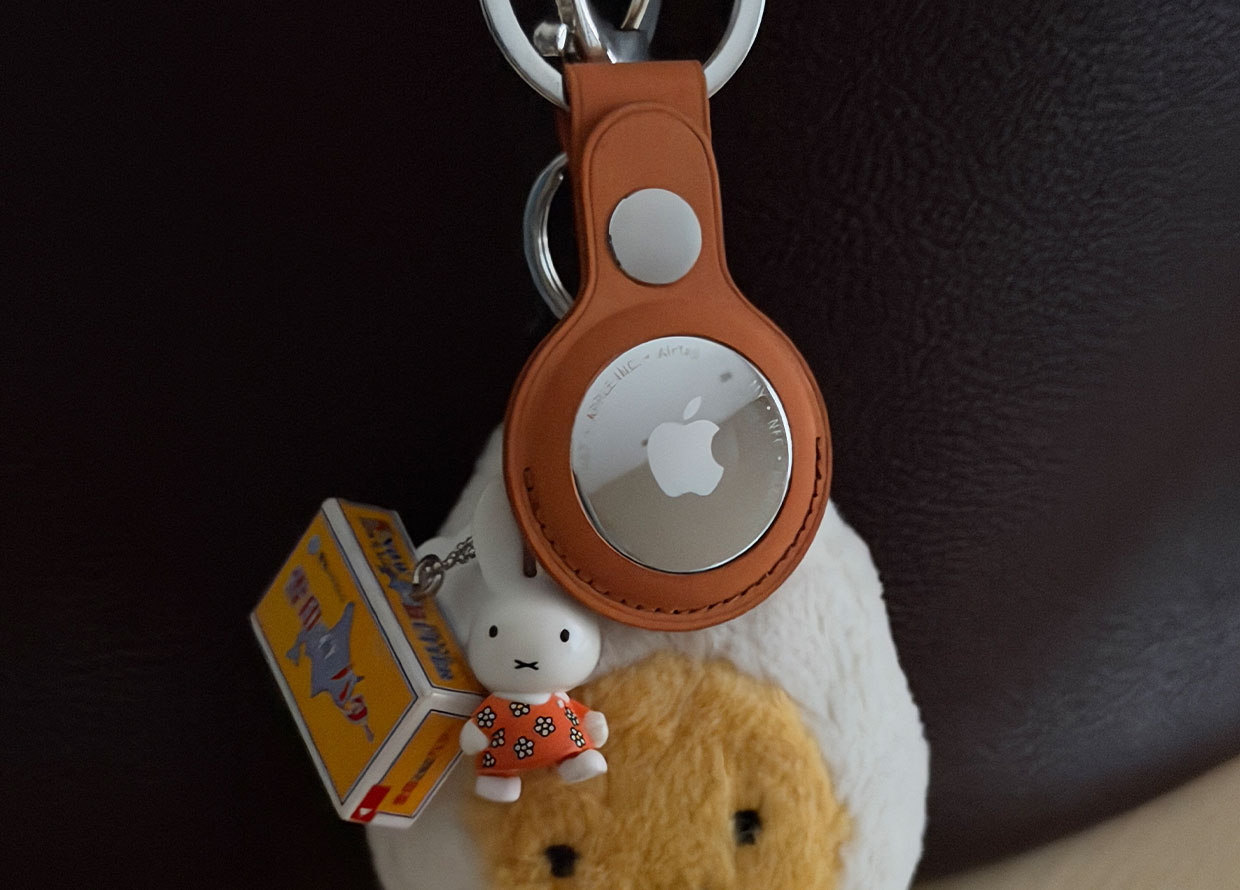

A step-by-step guide on how to set up your Apple AirTag 2, plus tips on how to use it to its full potential when things go missing!
As Type A or Type B as we can claim ourselves to be, losing things is simply a part of the human experience. Unless it happens every day, then that might be a “you” problem… Anyways! For anyone looking to keep better track of their things, an AirTag 2 (AKA the latest generation of Apple’s item finder) is the perfect solution. Tiny, easily concealed, and—most importantly—accurate, this item finder is a must-have for anyone, but particularly frequent flyers, busy professionals, or even new parents.
https://www.instagram.com/p/DVvrNk1kwmK/
You can attach them onto your keys, toss them in luggages, slot them into wallets, tuck them into baby strollers, or even store them in important medicine bags. Then, using the Find My app on your phone, you’ll be able to locate the AirTag 2, plus the item it is assigned to, within seconds. Below, we tell you how you can set it up (spoiler: it’s incredibly easy) and what to do when you need to find a missing item.
HOW TO SET UP YOUR AIRTAG 2
Step 1: Pair your AirTag
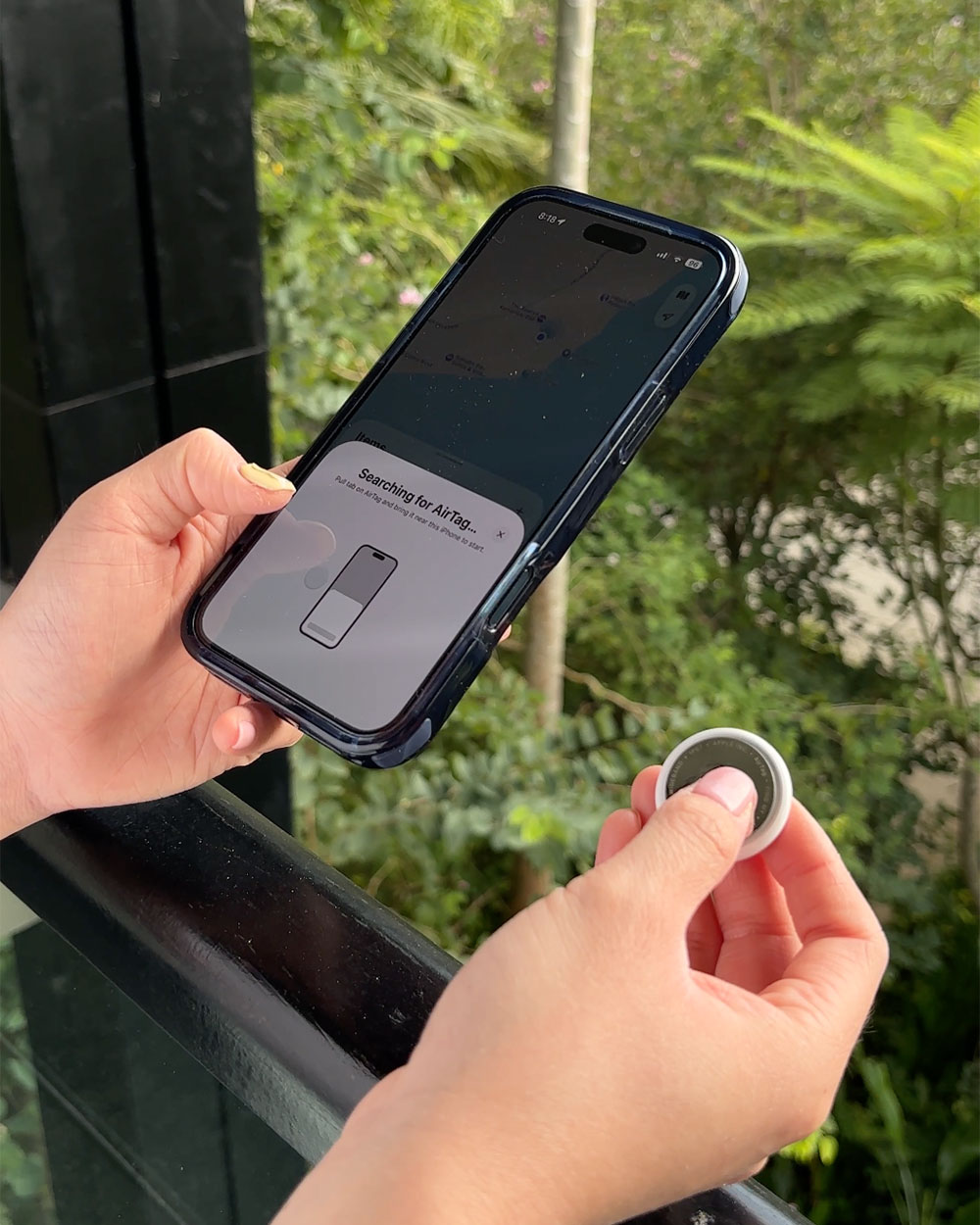
First things first, take your AirTag 2 out of its packaging and pull on the tab to activate it. Don’t worry about batteries for now! It’ll be a while before you’ll even have to think about getting that replaced. Then, just hold it up next to your phone and a dialogue box will pop up. Tap the “Connect” button.
Step 2: Give your AirTag some personality
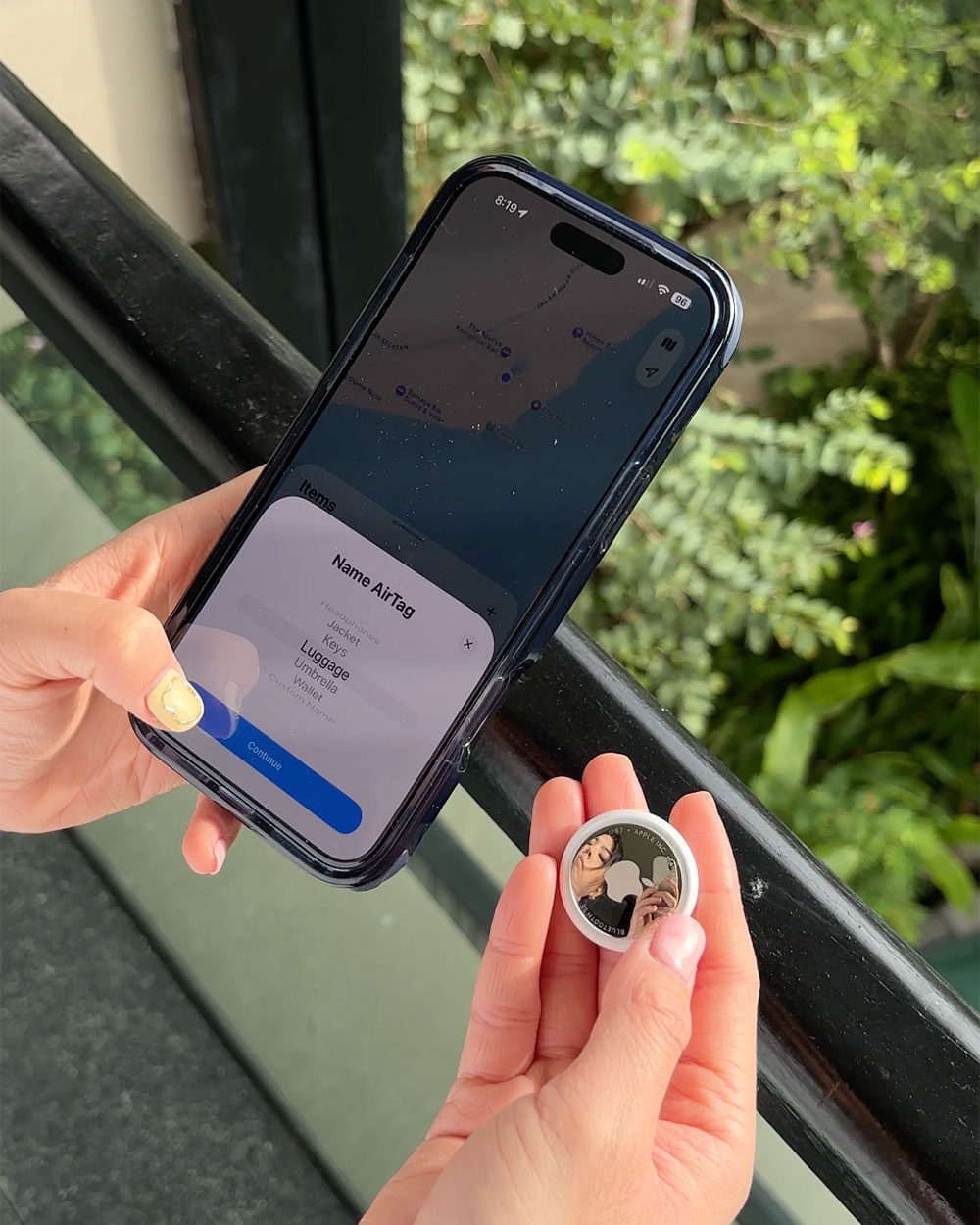
Scroll through the menu to assign your AirTag a category. Then, give it a name to make it more identifiable—especially useful for when you have multiple AirTags in your ecosystem.
Step 3: You’re just about done!
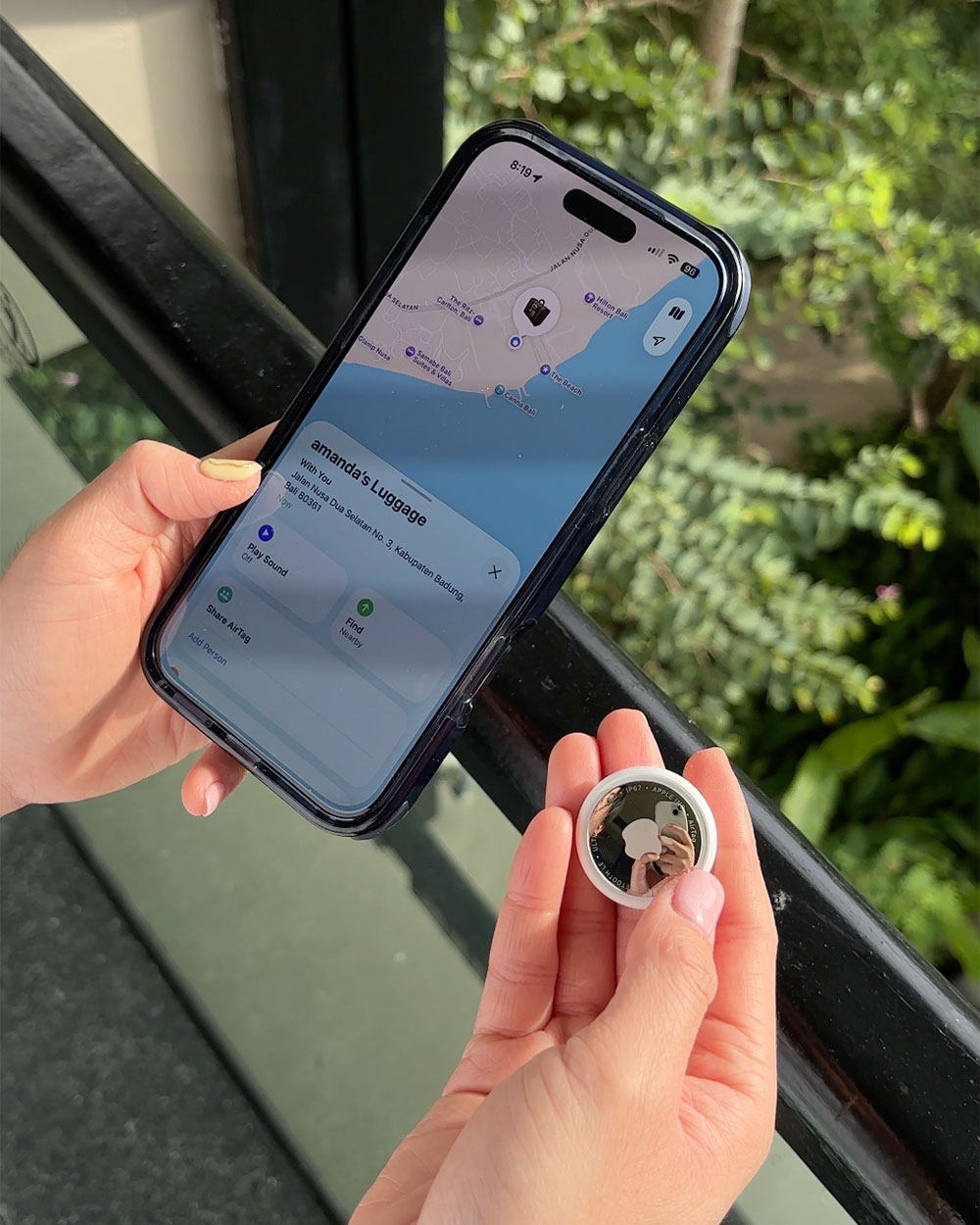
Now that your AirTag is technically all set up, all you have to do is attach it, store it, or affix it to whatever item you want to keep traceable. You can head over to the Apple store online to find an accessory that can help with this too. Our personal favourite is the keyring, which means we can move our AirTag from bag to bag whenever we make the switch.
HOW TO FIND MISSING ITEMS WITH YOUR AIRTAG 2
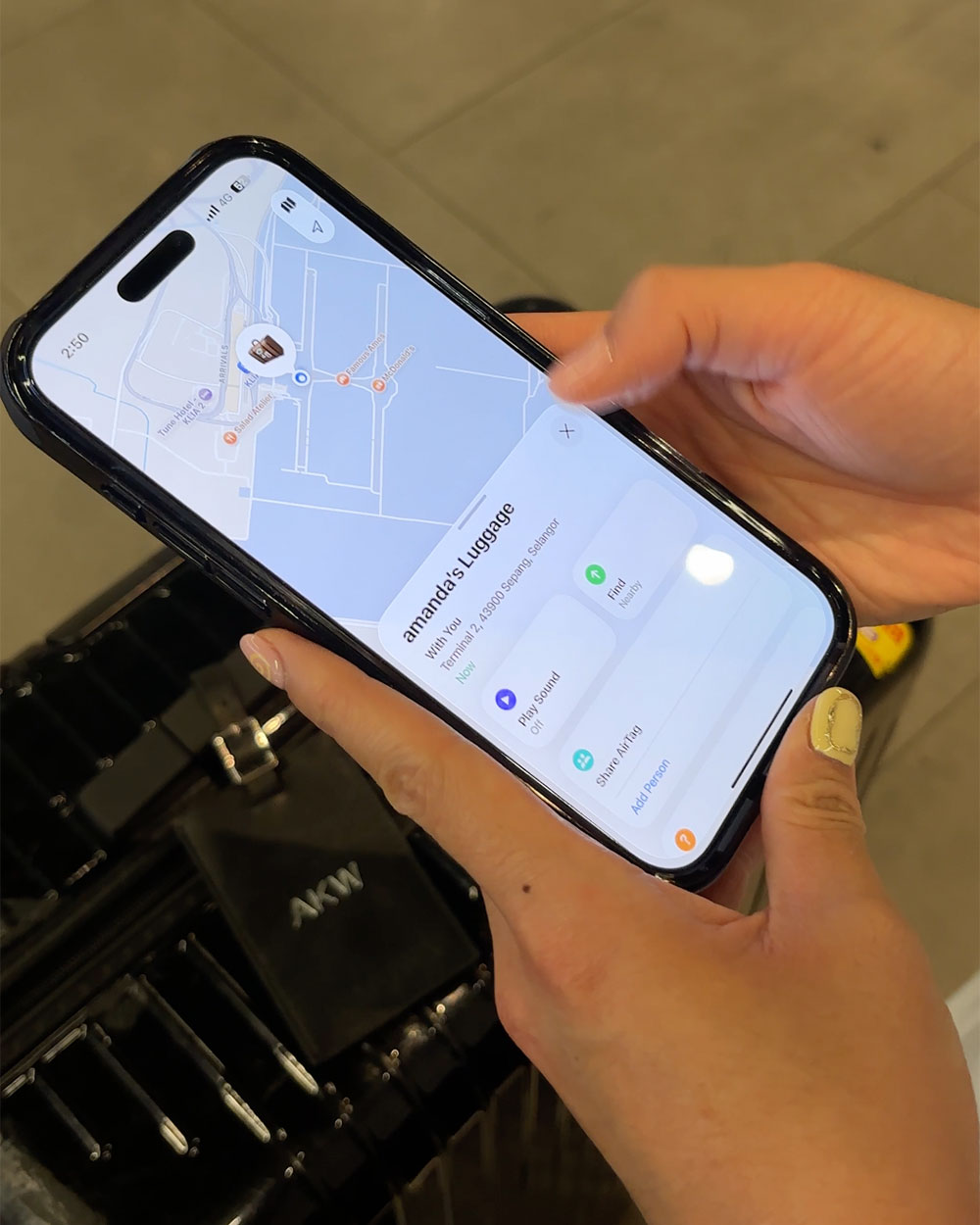
When you’ve lost an item or need to track your luggages down during your travels, there are a few things you can do! Near or far, your AirTag 2 will be able to give you its location … and some peace of mind. Aside from viewing its general location on a map, you can get into the nitty gritty details of its location with the Find My app and the AirTag’s features.
Play a sound
If you think your item is somewhere near you—say, in the same room or somewhere on your person—then you can use your iPhone or iPad to signal your AirTag to play a sound. To locate this button, simply select your missing item from your list of AirTags in the Find My app, then hit the “Play Sound” button. Plus, the redesigned speaker in the AirTag 2 allows you to hear your AirTag from up to twice the distance, so you’ll be sure to hear it wherever you are!
Use Precision Finding
For the missing items that might need a walk to or require directions to find in general, you can make use of the Precision Finding feature. With it, you’ll get accurate directions towards your missing item presented to you on your iPhone, iPad or even Apple Watch.
Share Item Location
When it is a lost luggage that you’re looking for, you can share your AirTag’s location with the airline* so they can track it down. Doing this temporarily shares the item’s location via a secure web link with a trusted third party. It can be disabled at any time manually, otherwise it will automatically expire after seven days.
*Only applicable with partner airlines.
For more technology-related reads, click here.
| SHARE THE STORY | |
| Explore More |


)